How to read Unmask, one page per tab.
Unmask is on-chain analytics for GenesisL1: it shows who buys and sells L1, where unbonded L1 goes, what crosses the bridge and how the validator set moves.
The GenesisL1 chain, the wL1/USDC pool on Base, the GenesisL1 and Base bridge, and Osmosis. All public data; nothing is entered by hand.
Wallets that belong to the same person are joined into one owner, by rules printed here, each join with its evidence. Most figures are per owner. How Unmask knows says when.
Live (a filled dot), stale (a ring with its age and the reason) or unavailable (a cross and the reason). A failed read never shows as zero.
Unmask describes what happened on-chain. It never tells anyone what to do with it.
Unmask for GenesisL1 is not for profit: what subscriptions and tips bring in covers its running costs and development, and the rest goes back into the GenesisL1 economy.
Unmask, by FirstBlock
How Unmask knows what it knows → · Questions and answers →
Getting around
Every page inside the site shares the same frame. Choose a number on the picture.
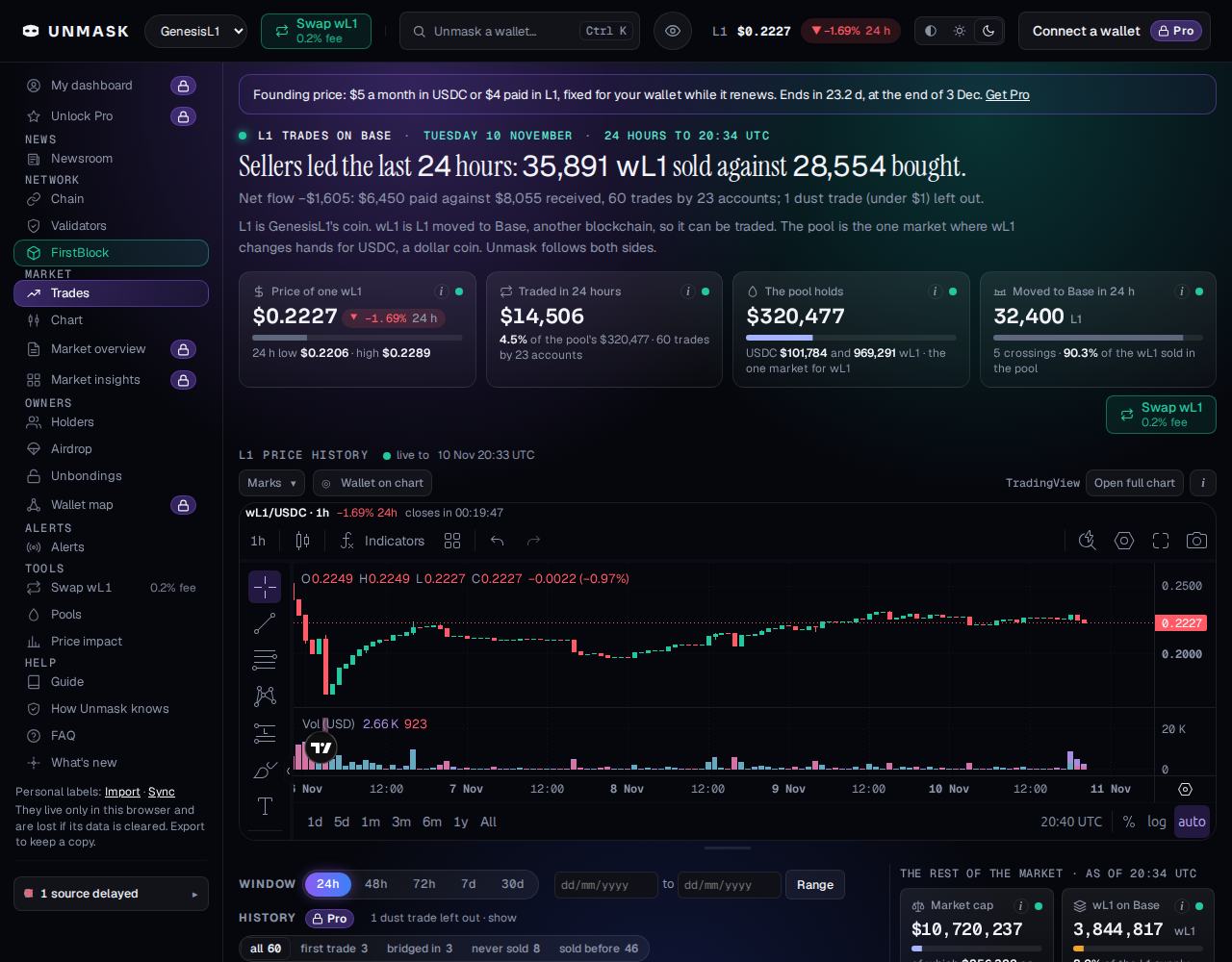
- Search
Any genesis1 or 0x address, a transaction, a validator, or an osmo1 address when the chain proves it is the same key as a GenesisL1 account. Ctrl K jumps here.
- The eye
Hides or shows your personal labels.
- L1's price
The pool's price after the last swap, and its 24-hour change.
- Theme
Automatic, light or dark. Dark is the default.
- The panel
Every page, grouped. A padlock beside a name marks a Pro feature. On a phone the panel folds behind the menu button.
- Data up to date
Or "N sources delayed". It opens the list of sources with the age of each.
An open page swaps in new data as it arrives, without a reload, and never while you are typing. Dates are UK style, in UTC. The footer carries the terms, the privacy page, where the data comes from and Support Unmask.