Trades
Every swap in the wL1/USDC pool on Base, live, and the owner behind it. A new swap appears within seconds, without a reload.
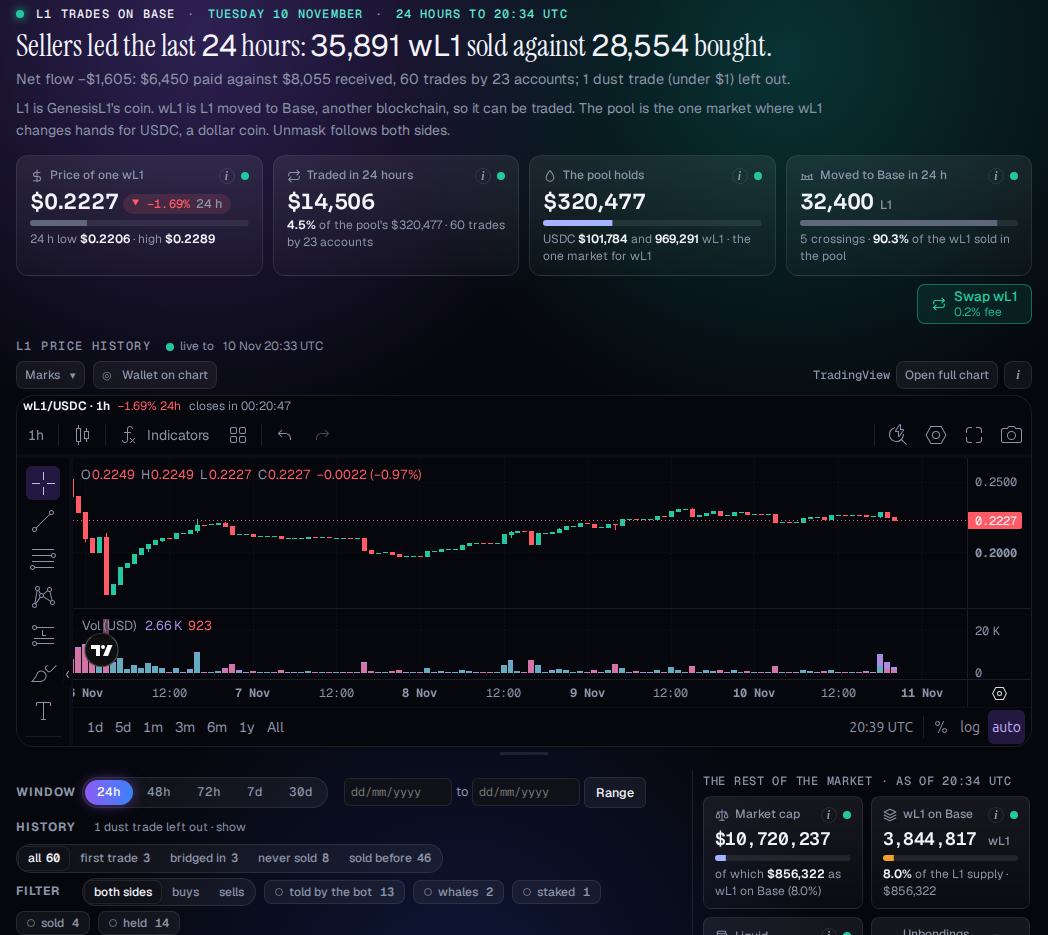
- The window in one sentence
What the window's trades add up to, from its own figures.
- The tiles
The price of one wL1 with its 24-hour range, what was traded, what the pool holds, and the L1 moved to Base. The (i) on each says what it counts.
- The price chart
The pool's price, live, drawn by TradingView's library: intervals, indicators and drawing tools. Marks shows trades on the chart, Wallet on chart one wallet's trades, Open full chart the Chart tab.
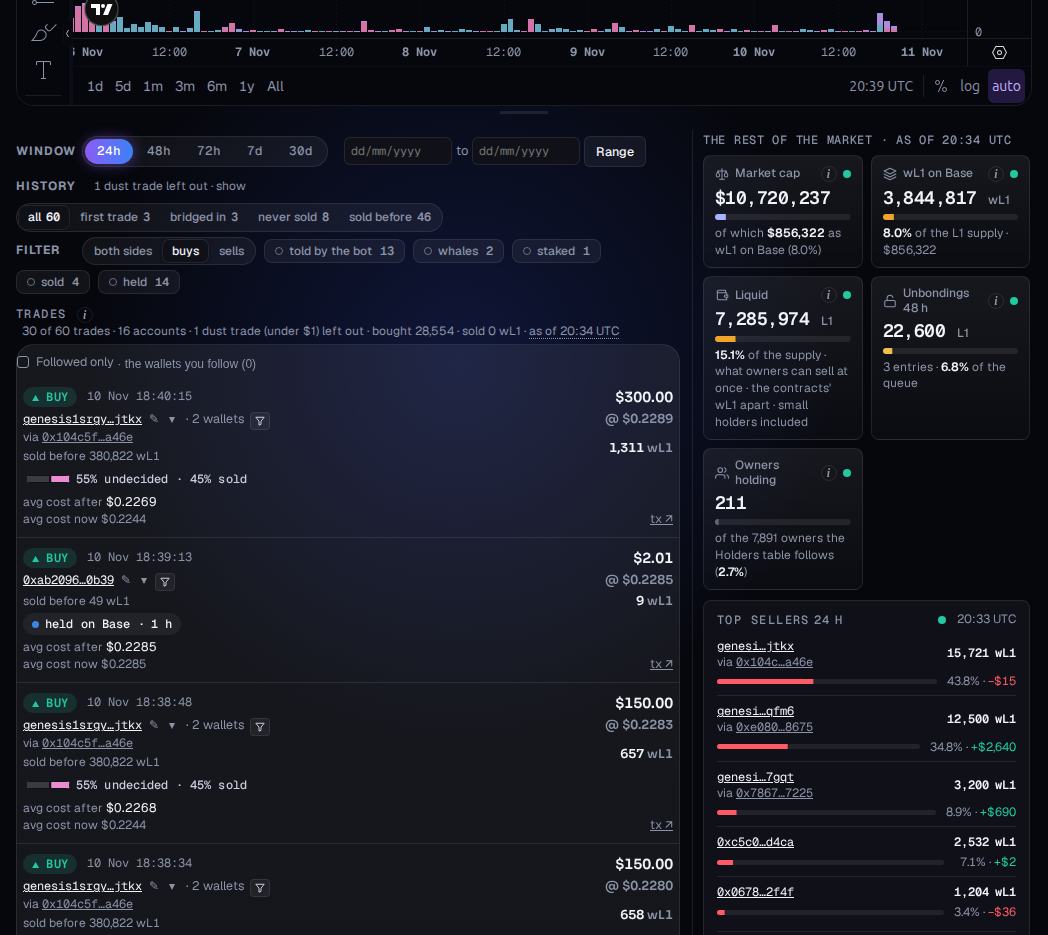
- Window
24h (the default), 48h, 72h, 7d, 30d, or a range of dates. Everything on the page is cut to it.
- History
Only the trades whose owner had this history before the trade: a first trade, bridged in, never sold, sold before.
- The owner
The wallets joined as one owner, linked to its profile, with its tags and what it had done before this trade.
- Result
On a SELL, the profit or loss on the part with a known cost. On a BUY, the owner's average cost after it.
- Where it went
On a BUY, what the bought wL1 did next: held, staked, sold or sent on. This picture is the Filter's buys, so every row has one.
- The rest of the market
Market cap, wL1 on Base and the other market figures, each with its denominator.
Reading the list
A BUY means the pool delivered wL1; a SELL means it took wL1 in. Price, USD and wL1 are the execution price and the size on each side.
Dust trades (under $1) are left out and counted, unless you show them.
Once the chart scrolls out of view, a one-line bar keeps the price on top with a button back up. New trades that arrive while you read further down are counted in a pill instead of moving the list.